FC 26 Live Editor
Getting Started Guide
A walk-through for installing, launching and confirming FC 26 Live Editor. Follow every step in order.
Getting Started
- 1. Create a working folder.
Create a new folder on your desktop and name it
FC 26 Live Editor.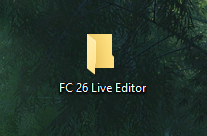
- 2. Add the folder to antivirus exclusions.
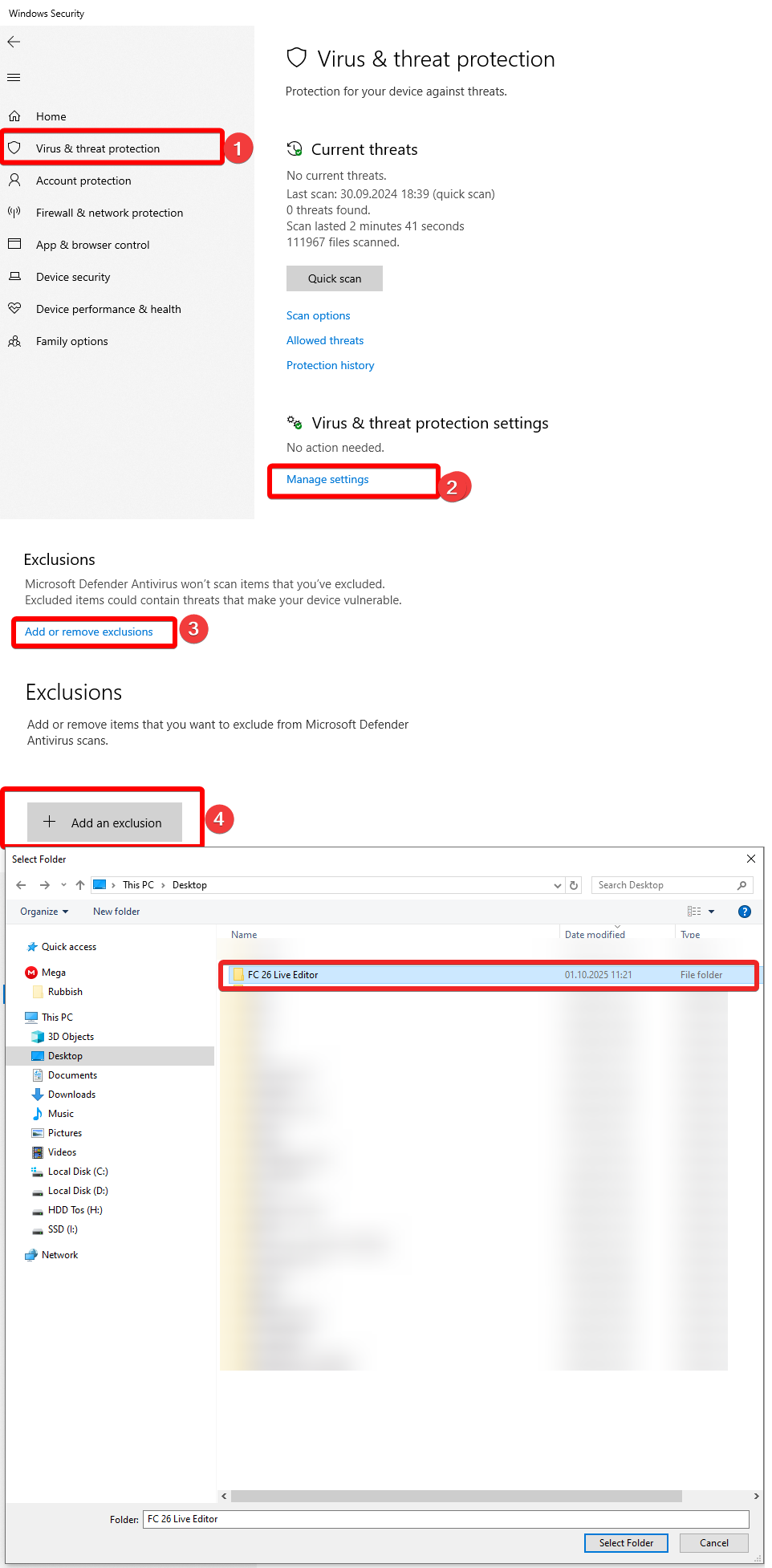
For Windows Defender, open Windows Security, then Virus & threat protection, Manage Settings, Exclusions, Add or remove exclusions, Add an exclusion, Folder, and select the FC 26 Live Editor folder.
- 3. Download the installation package.
Save the release archive in the folder created above.
- 4. Extract the archive.
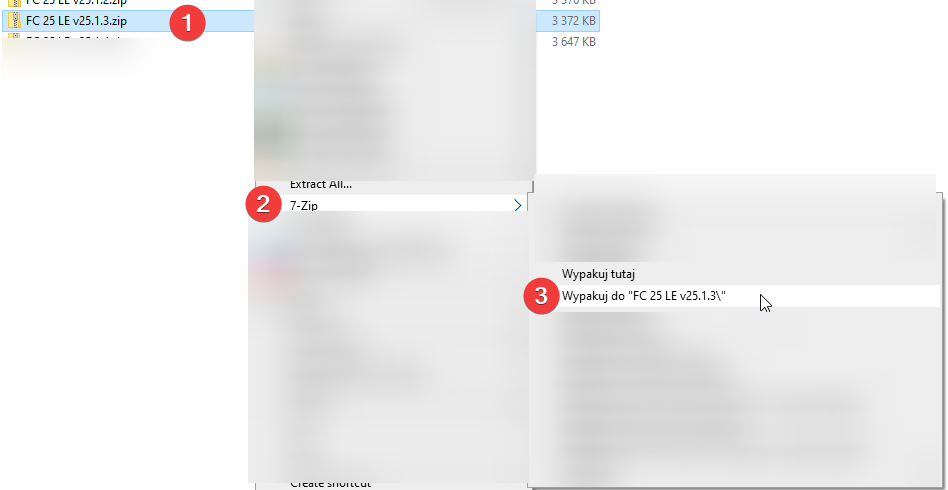
Right click
FC 26 LE v26.X.X.zip, choose 7-Zip (or another archive tool), then extract it to a dedicated folder. Do not run the application from inside the ZIP archive.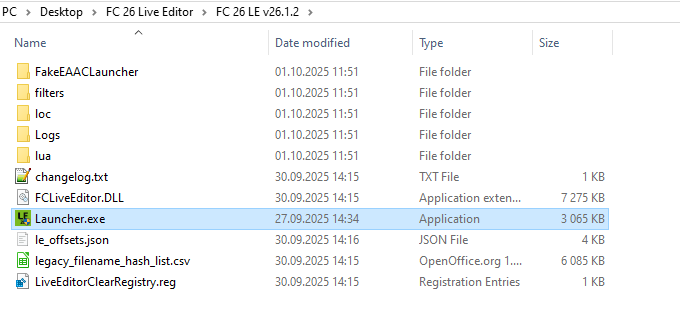
- 5. Run Launcher.
Open
Launcher, then select Run Game.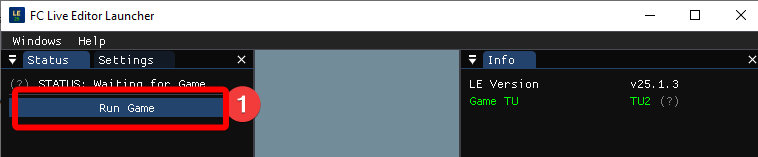
- 6. Verify startup.
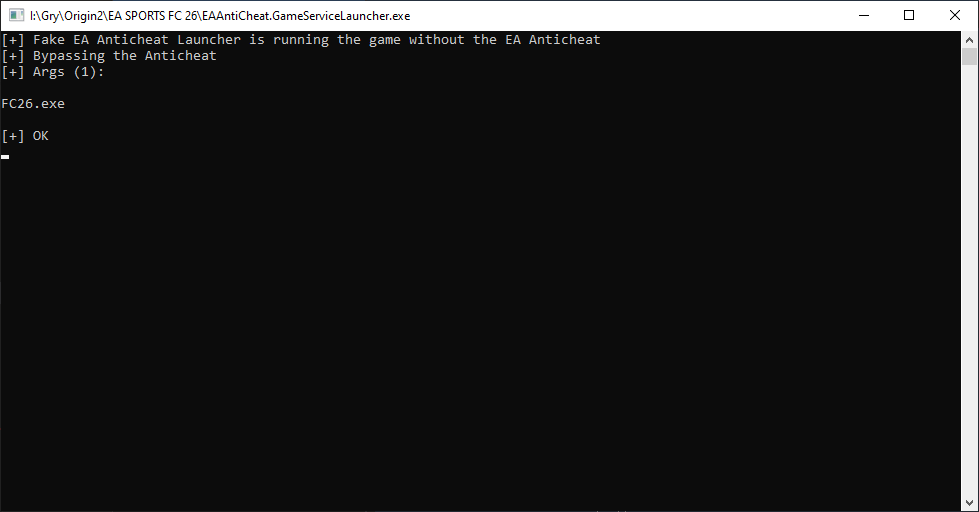
The status should change to Injecting. EA App should begin preparing the game and then start the Fake EA Anticheat Launcher before EA FC 26 runs.
- 7. Confirm the overlay.
When you reach the main menu, the additional overlay indicates that FC 26 Live Editor is running.
Disclaimer
EA FC 26 is protected by EA Anticheat. Use of editing tools can put an account at risk, and enforcement policies may change at any time. Use the tool at your own risk.
Safety Measures
Turn off automatic game updates if you need to remain on a version supported by the installed Live Editor release.
Running the game without EAAC
Live Editor uses a replacement EAAntiCheat.GameServiceLauncher.exe while it is running. The launcher copies it to the game installation directory and restores the original launcher when the Live Editor launcher closes.
Using FIFA Mod Manager Mods
Run the game at least once with your mods but without Live Editor first. Verify that the mods work without crashes before combining them with Live Editor.
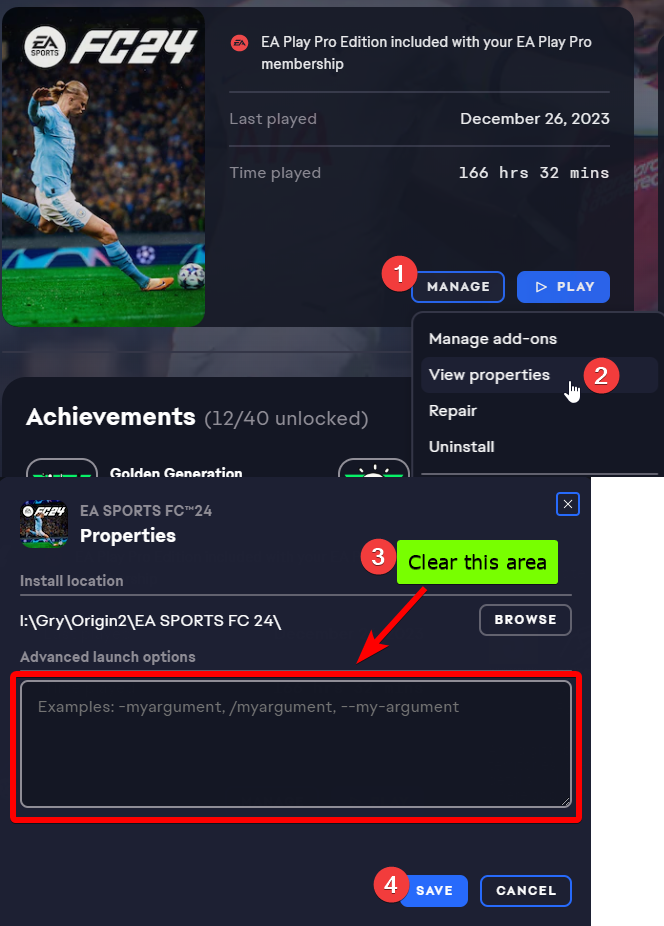
- 1. Clear Advanced Launch Options in EA App or Steam.
- 2. Open Launcher settings.
Under Advanced Launch Options, enter
-dataPath FIFAModData.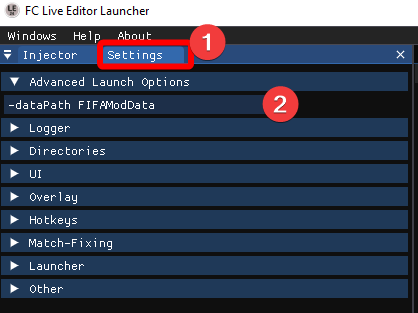
- 3. Run the game.
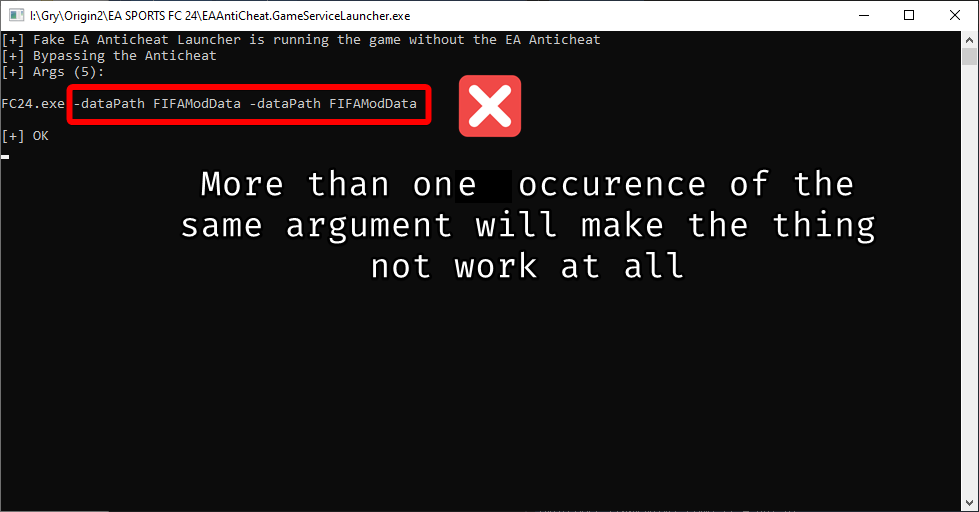
The Fake EAAC Launcher should show the game starting with the
-dataPath FIFAModDataargument.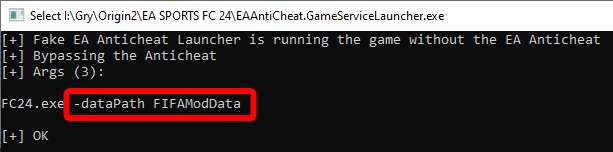
- 4. Keep only one dataPath argument.
Duplicating
-dataPath FIFAModDataprevents the mods from working.